

“`html
Before I joined Android Authority, the phone in my pocket was entirely up to me. For the better part of a decade, I changed brands each time I bought a new one, going from HTC to LG and later from Apple to Samsung, all because I always wanted to try something new. Then, when I put the Galaxy S10 in my pocket, I decided I might stick around for a while. It was such a monumental change from the tiny, inflexible iPhone 7 that I figured I might be a Samsung fan for life — right up until I smashed it into the sidewalk while out for a run. Suddenly, I had the choice to either pay a hefty repair bill or scratch my itch to try something new once again. I headed to Best Buy, grabbed the Google Pixel 5, and haven’t looked back since.
If I had to make that decision all over again, I think I’d make the same one, and here’s why: Google’s designs are just more fun
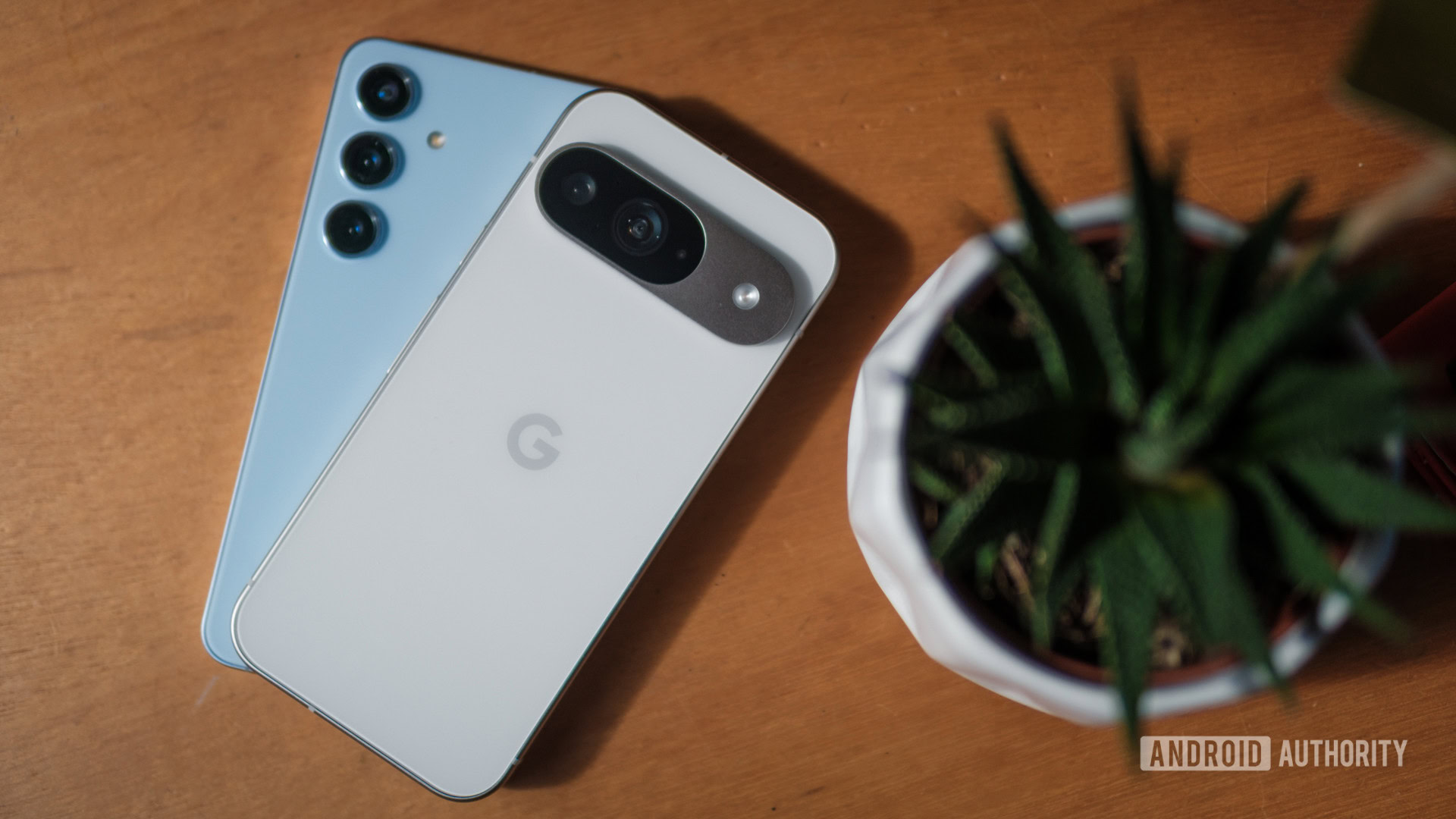
In the grand scheme of things, a phone’s appearance is probably the last reason to buy it. After all, you’ll spend more time looking at its display than its camera bump or whichever colorful finish you carefully selected — especially if you put it in a case. However, I can’t help but judge a book by its cover. If you give me one phone that looks ready for a meeting in a boardroom and another that looks like a character from Star Trek, I will reach for the latter every time. As you might have guessed, Samsung’s current crop of Galaxy devices is the former, while every Pixel since the Pixel 6 Pro is the latter.
Of course, it wasn’t always this way. I liked the Galaxy S10 so much because it felt quirky and different — kind of like a modern Pixel. Samsung stretched its trio of cameras horizontally across the rear glass, selected colorful finishes that would change based on the lighting, and even offered a porcelain version if you were willing to spend a little more. It was so opposite of everything I’d gotten used to on the iPhone 7 that I sat down and ordered mine while out at a bar with friends in college.
Now, just about every piece of that quirky design is gone. Samsung’s horizontal strip of cameras has become a dull set of cutouts in the corner, its optional porcelain has become Gorilla Glass — albeit excellent Gorilla Glass — and its slimming waterfall display has become a flat, smooth panel (which is a good thing, actually). Google, on the other hand, took its Pixel design through an opposite journey. It began with a simple, straightforward camera bump in the top left corner of its first five generations, only to ditch it in favor of a now-iconic camera bar I’ve loved since day one. The split created by the camera bar opened the door for Google to reintroduce two-toned finishes, a choice that made the Pixel 6 and Pixel 7 series feel both fresh and fun. Google’s styling has since evolved again, swapping the visor-like camera bar for more of a camera island that feels both more durable and more mature to match its ninth-generation flagships — even if it’s not aesthetically as much fun.
Perhaps more importantly, Google has raised its build quality to match its more refined design. Its aluminum frames, whether glossy or satin, feel excellent in hand, and they offer just enough of a curve on the front and back so you can reach across the display without accidental presses. I compared the Pixel 9 Pro XL to my favorite iPhone ever, and I’ll stand by the fact that it feels as sturdy and reliable as Android’s biggest competitor. Google’s build quality gets better every year while Samsung’s designs get simpler and simpler. Also, I know that looks aren’t everything when you’re buying a phone. With that in mind, I’d still give Google the advantage. When I reviewed the Galaxy S24 Ultra back in early 2024, I barely used the S Pen. In doing so, I was essentially ignoring one of the critical pieces of the phone’s design — a feature that everything else was pretty much centered around. After all, the flat top and bottom edges, the massive body of the phone, and the relatively sharp corners are all there to ensure the built-in stylus has enough room to operate without squeezing the battery capacity or rearranging the camera setup. Unfortunately, the result is a giant, powerful phone that just feels like too much for me to use — let alone stuff into a pocket.
Google, on the other hand, has completely won my heart with its smaller Pixel 9 Pro. It’s everything I waited for in a relatively small Android phone, packing a pro-level battery and a trio of powerful cameras into a device the same size as the base Pixel 9. Factor in Google’s rounded corners and gently curved frame, and it feels even smaller in the hand, which is great news for me. The Pixel 9 Pro is pretty much equipped to compete with the Galaxy S24 Plus but is sized like the Galaxy S24, which brings back fond memories of toting around the Pixel 5 back in the day. One UI is customizable but a little overwhelming
It’s not just Google’s hardware that I prefer, either — I’ll take Pixel UI over One UI whenever I’m given the chance. One of the first things I do when switching to a Samsung device for an extended period is to swap from its default One UI launcher to Lawnchair, simply because it makes me feel more like I’m still on a Pixel device. I’m not alone in my preference for Google’s light, clean (but not stock) Android experience, either — my colleagues agreed when we put Pixel UI atop our ranking of the best Android skins on the market. Don’t get me wrong, we put Samsung’s One UI in second place, but the two experiences are as different as can be.
I like that Google’s software design follows its hardware — it’s quirky, colorful, and customizable enough without feeling overwhelming. When I jump into a new Pixel, I know I can easily set it up just as I’m used to, with an app drawer organized alphabetically, apps that color-coordinate to my wallpaper, and a lock screen that features several interchangeable clocks. And yes, maybe that sounds simple, but I’ve never been one to overcomplicate my personal device. I would much rather know where everything is and that it works when I expect it to than dig through a mountain of menus to build a perfect routine for every situation. On top of that, Pixel UI is Google all the way down. What I mean is that there’s no bloat, no unnecessary duplicates (lookin’ at you, Samsung Messages and Samsung Internet), and all of the widgets default to in-house apps like Google Photos and Pixel Weather. Basically, it means I don’t have to think about much beyond which apps I want on my home screen and which widgets I will use. In some ways, that probably makes me sound like I’d be an iPhone user in another life, and maybe that’s true. However, Apple’s current level of customization leaves a lot to be desired, especially when you color-match your app icons only to find out that they’re almost invisible against the default dark gray background. Pixel UI takes care of the ‘smart’ and just lets me enjoy my phone. On the other hand, one UI would rather give me granular control over every little piece of my layout. It has a nearly infinite web of settings menus, multiple app stores, and experimental features tucked away under the Samsung Labs menu. You can even download Good Lock to add more wrinkles and complications to your Galaxy device, including the ability to open more apps on the cover screen of the Galaxy Z Flip 6. It’s enough to make your head spin, which isn’t what I want when I change phones and redo the process every few weeks.
Granted, some people will love the chance to make their Galaxy phone feel more like their own. I know a few Android fans who swear by different launchers…
“`